After building my outdoor track in Georgia, I found that as I visited my children and more importantly my grandchildren they also need a track to run trains on. This also gives me something to do when I am visiting my children and my grandchildren.
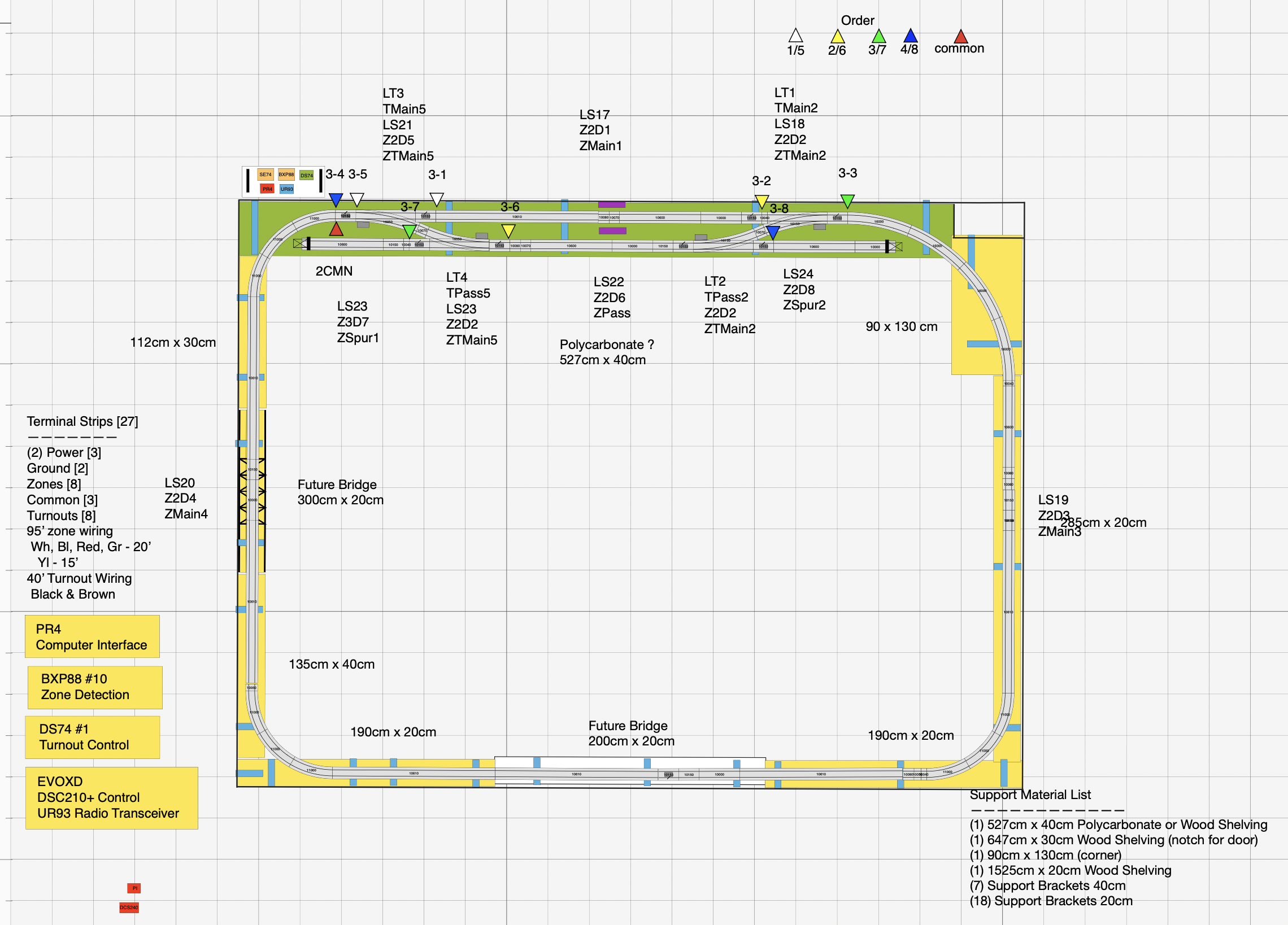
Some of my children can have an outdoor layout and some cannot. Since I cannot visit my children for extended times and I just needed something more to do, I also built an indoor layout in my Battle Creek condo and also in my shop in Peachtree City GA. This has allowed me to work through issues, determine features and work on the programming. I use RailModeler Pro on the Mac to design out my layouts and layout all of the blocks, wiring, and track support details.
During my last four week cruise, I was able to work on a lot of the programs needed for both the indoor and outdoor layouts. I have developed a lot of features that I am beginning to implement them on the different layouts.
First stop is in Germany at Haley and Renato’s apartment where they have recently completed an indoor layout around their living room. The layout utilizes a single track on 3 sides and a double track on one side with two spurs. The design allows me to run 3 trains on the track but each train has to wait for the other to be completed. See the video below of the trains running.
I created a One Train program, a Two Train program, and a Three Train Program. The programs utilize JMRI (Java Model Railroad Interface). This is an open source program that runs on Raspberry Pis, Macs, and Window computers. I created the programs on my Mac and then transferred them to the Raspberry Pi. I am utilizing a Raspberry Pi 4 with a 10” touchscreen.
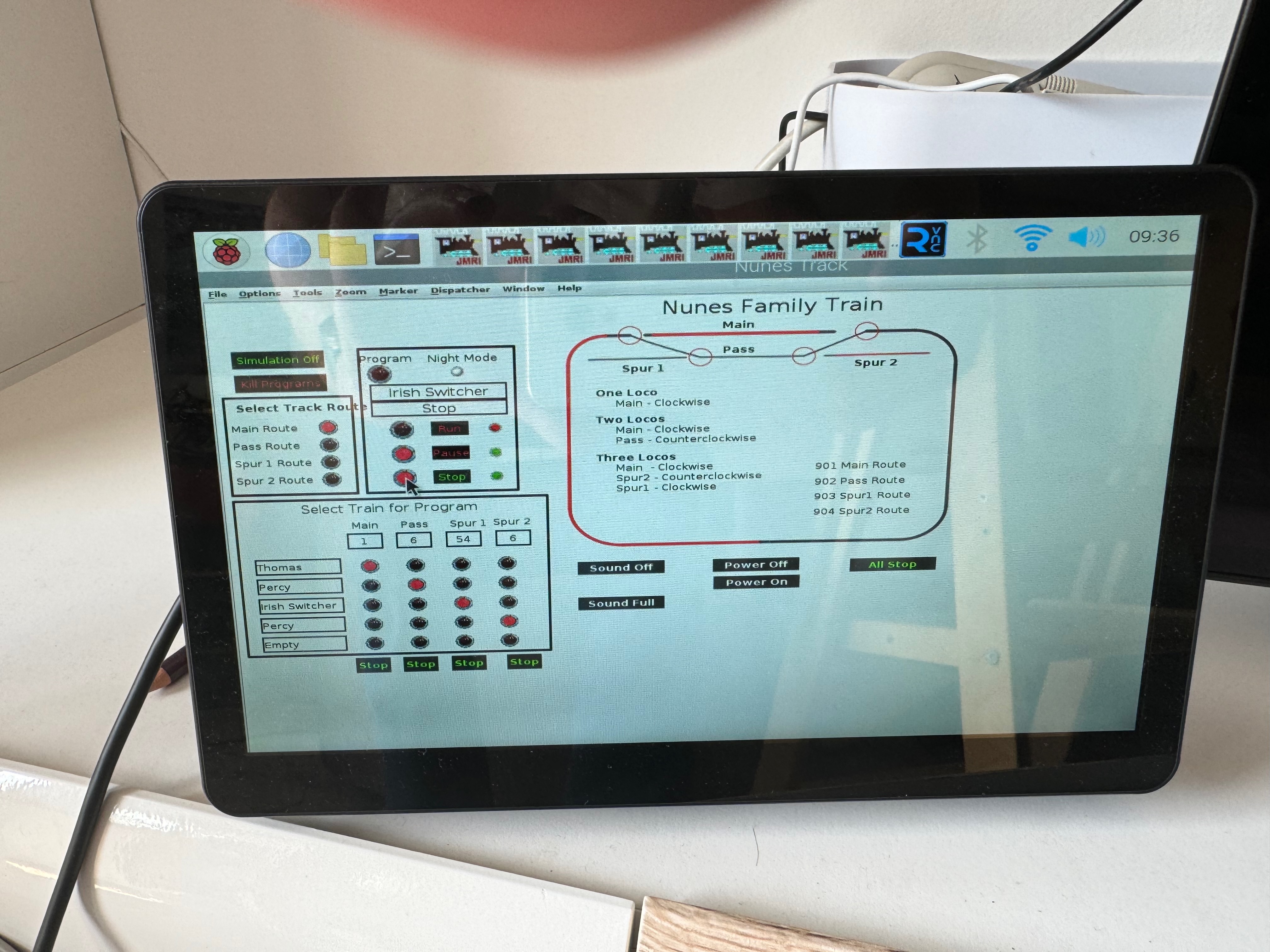
Over time I have worked on how to make the RunTrain program utilize track commands to be executed for each train. The basic program was initially created by Dave Sand. I have extensively modified the program and added commands. The train programs communicate with each other by utilizing internal sensors (setting them active or inactive). I also use MQTT variables for communication outside of the Raspberry Pi….. more on that later. I use memory variables to manage the names of the programs, train names, numbers, speeds, and other parameters. And of course I use Digitrax connected to JMRI for active zone signalling and control of the turnouts.
I use a Digitrax DCS210+, BXP88, DS74, PR4, and UR93 for the DCC controls. I use the Raspberry Pi running JMRI connected to the PR4 to allow the programs to control the trains. I have outfitted my trains with Zimo MS950 controllers. I like the Zimo because of the sound and engine control features. I have created special recording of my grandchildren and load them into the locomotives and they play as they run. I can also load trains songs that my grandchildren love to hear. The Zimo MS950 controller also allows me to put strip LED lights under the train all controlled by the controller as well as a smoke unit and all of the standard lights are LEDs on the locomotive.
I created a panel layout that allows mutlitple controls over the layout and program:
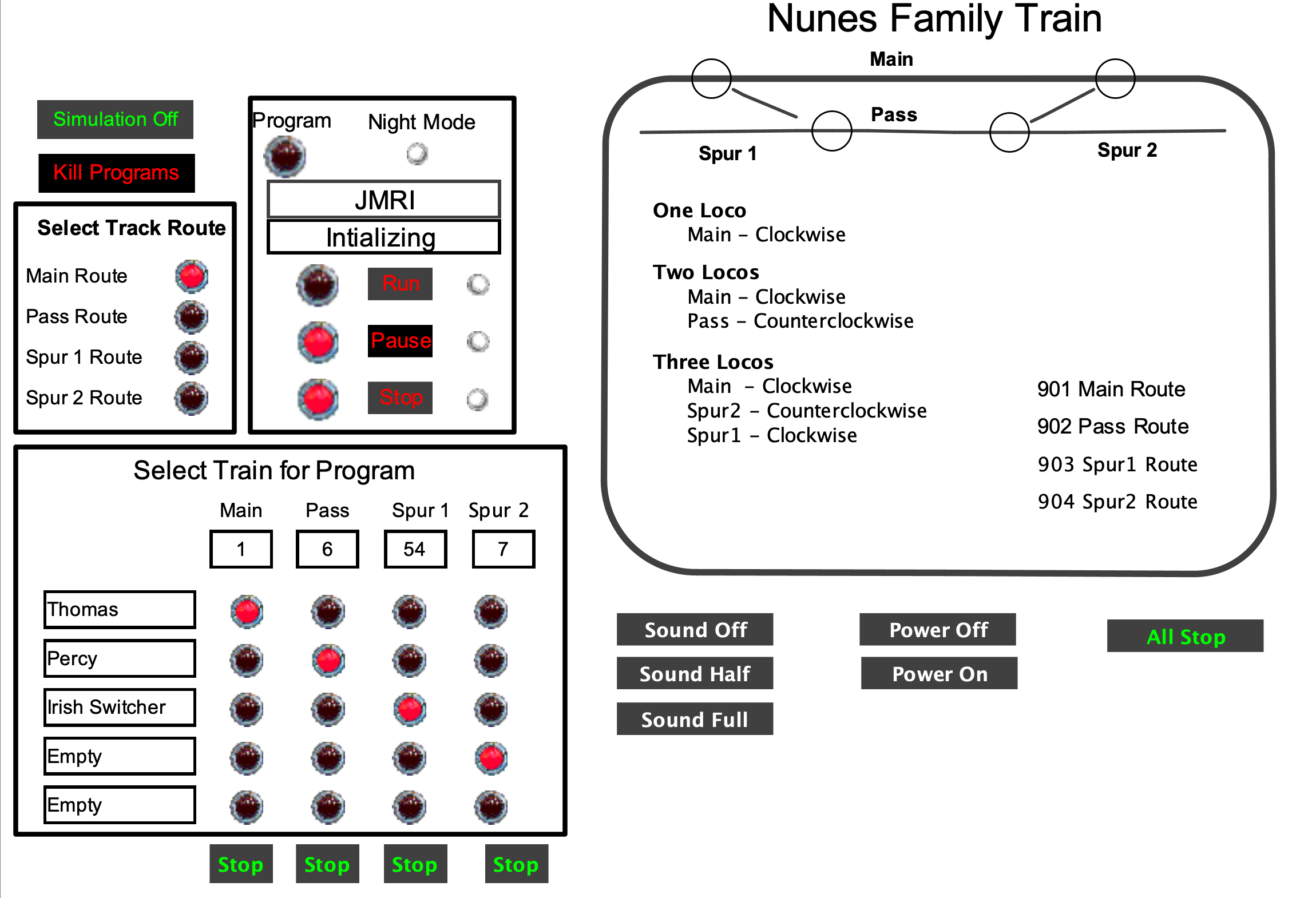
The programs then take these inputs and run the appropriate trains and allow control over the trains and programs.
I have a display on the panel showing the different statuses. The display can also be linked to an i2C display on the layout connected to the Raspberry Pi. I have created a native program that runs on the Raspberry Pi, that takes input from MQTT and sends the text to the display. In addition, the same program will send a text message from the individual train programs as a part of the commands.
I have also created a program that waits for input from IFTTT (a web based If Then Then That) and then changes the appropriate sensors. The sensors then make changes to the program, configuration, sound and other features. With IFTTT you can utilize motion sensors on cameras to trigger sensors. You can also utilize IFTTT to allow commands from Alexis, Google, and Siri. With this feature I can use verbal commands to control my layout and its features.
In the future I have plans to connect a LED light strip to the Raspberry Pi and and allow the train programs to control the light sequencing as the train moves around the track.
You can find the programs here that I use to run my shelf train in Germany. This isn’t meant to be a complete installation but rather a start if you are interested in seeing what JMRI can do using DCC control. There are many ways to implement a computer controlled layout with a lot of automation within JMRI. I chose to be more self sufficient and write programs that I hope will survive for a long time. I like the control of writing my own programs.
Here is the link for the programs that I am using…….the JMRI.xml file to control the layout, The (3) RunTrain programs, The individual train control programs, The support programs – Run.py, Stop.py, Pause.py, Remote Commands.py, Configuration Control.py, IniitSensors.py, InitTurnouts.py, MQTT initialize.py, Train Select.py, Native Program 1.py, Native program2.py

 papa carney
it sounds like someone has a book waiting to be published
And we love it!!!